Advantages in Mixed-Language Classes
These advanced tools go beyond pronunciation and conversational practice, offering extra benefits for classrooms with students from diverse linguistic backgrounds.
Custom Learning Paths
Modern systems design lessons that cater to each student's unique accent and pronunciation challenges. For instance, native English speakers often find Hebrew guttural sounds tricky, while Arabic speakers may need extra help with vowel distinctions.
baba takes this a step further by analyzing speech patterns specific to each student's native language. Its AI adjusts feedback based on the learner's skill level and linguistic background, making Hebrew lessons easier to grasp for everyone.
Keeping Students Engaged
Speech recognition tools turn Hebrew practice into a fun and interactive experience. Students get real-time, helpful feedback, which boosts their confidence and keeps them interested. The technology adds a playful element to learning through:
- Speaking challenges
- Achievements and progress milestones
- Simulated real-world conversations
- Pronunciation accuracy scoring
This setup helps students stay motivated while easing the stress of speaking a new language in front of others.
Helping Teachers Track Progress
These tools aren't just for students - they're a big help for teachers, too. They provide detailed performance data, allowing educators to:
- Monitor individual pronunciation progress
- Spot common struggles across different language groups
- Measure improvement in specific Hebrew sounds
- Adjust lesson plans based on class trends
With this data, teachers can focus on areas where students need the most help, while letting advanced learners move forward at their own speed.
Want to take your Hebrew learning to the next level? Sign up for our mobile app waitlist at www.itsbaba.com.
sbb-itb-7e51dcc
Common Issues and Fixes
Speech recognition is making its way into Hebrew classrooms, offering new possibilities but also posing some challenges. Here's how to tackle the most common issues.
Accent and Dialect Accuracy
Speech recognition tools sometimes struggle with different Hebrew accents influenced by native language patterns.
To improve accuracy:
- Focus on drills for tricky Hebrew sounds.
- Encourage students to record their pronunciation and compare it with standard Hebrew.
- Use accent settings when available.
- Practice with both Modern Hebrew and older pronunciations.
The baba – Smart Hebrew Translation system addresses these issues with advanced features that adjust to various pronunciation styles, ensuring a smoother experience for learners.
These tweaks make it easier to integrate speech tools into lesson plans.
When adding speech technology to lessons, balance it with traditional teaching methods. Here's a straightforward approach:
- Start with short, 10-minute practice sessions.
- Focus on one skill at a time, like pronunciation, vocabulary, or conversation.
- Use speech tools for homework or self-study.
- Combine group activities with both traditional and tech-based methods.
Introducing tools gradually helps students get comfortable with the technology. Make sure teachers are equipped with the right training to support this transition.
Staff Training Requirements
Teachers need to develop both technical and teaching skills to use these tools effectively. Key areas to cover include:
- Basic troubleshooting.
- Using accent adjustment features.
- Designing custom pronunciation exercises.
- Analyzing student progress data.
- Managing groups with varying skill levels.
Regular practice builds teacher confidence. Start with basic features before moving on to more advanced ones.
These strategies can help create a more effective Hebrew learning environment for all students.
Get on the waitlist for our mobile app at www.itsbaba.com
Next Steps in Hebrew Speech Tech
Building on recent progress, new advancements are set to improve Hebrew language learning with better precision and ease.
New Speech Recognition Features
Hebrew speech recognition tools are advancing rapidly. Neural networks are boosting accuracy, especially in settings where Hebrew is mixed with other languages, making it easier to teach in code-switching environments.
- Real-time accent adjustments that provide tailored feedback
- Improved understanding of Hebrew grammar in context
- Personalized feedback to address recurring pronunciation issues
- Seamless integration with interactive learning resources
The baba platform uses advanced natural language processing to analyze Hebrew speech patterns, helping learners practice pronunciation more effectively.
Innovative tools are reshaping how educators teach Hebrew alongside other languages, especially in diverse classrooms.
- Real-time translation during conversation exercises
- Cross-language analysis to spot common pronunciation challenges
- Interfaces that can be customized to different languages
- Features that incorporate cultural nuances for deeper understanding
baba’s system ensures that Hebrew translations are culturally accurate, respecting gender and plural forms, which enriches multilingual teaching.
AI Ethics in Education
As technology evolves, addressing ethical concerns is critical for its responsible use in education.
- Secure storage and handling of student voice data
- Transparent opt-in options for voice recording features
- Ensuring equal access to technology for students across various socioeconomic backgrounds
- Clear explanations of how AI makes decisions
- Regular reviews to ensure AI tools work accurately across accents and dialects
Schools and educators must strike a balance between leveraging technology and protecting student rights. This includes clear guidelines on data usage and ensuring all students can benefit equally from these tools.
Get on the waitlist for our mobile app at www.itsbaba.com
Conclusion
Speech recognition technology is changing how Hebrew is taught in multilingual classrooms. This progress is paving the way for new tools that make learning Hebrew more accessible, tailored, and effective for students from various linguistic backgrounds.
These tools are reshaping teacher assessments, personalized feedback, and classroom management by managing code-switching and providing real-time corrections. With AI-driven language tools continuing to evolve, Hebrew instruction is set to benefit from even more advanced features. These technologies are becoming a key part of modern Hebrew education.
Specialized platforms are now offering powerful support for Hebrew learners, building on these advancements.
Try baba Today
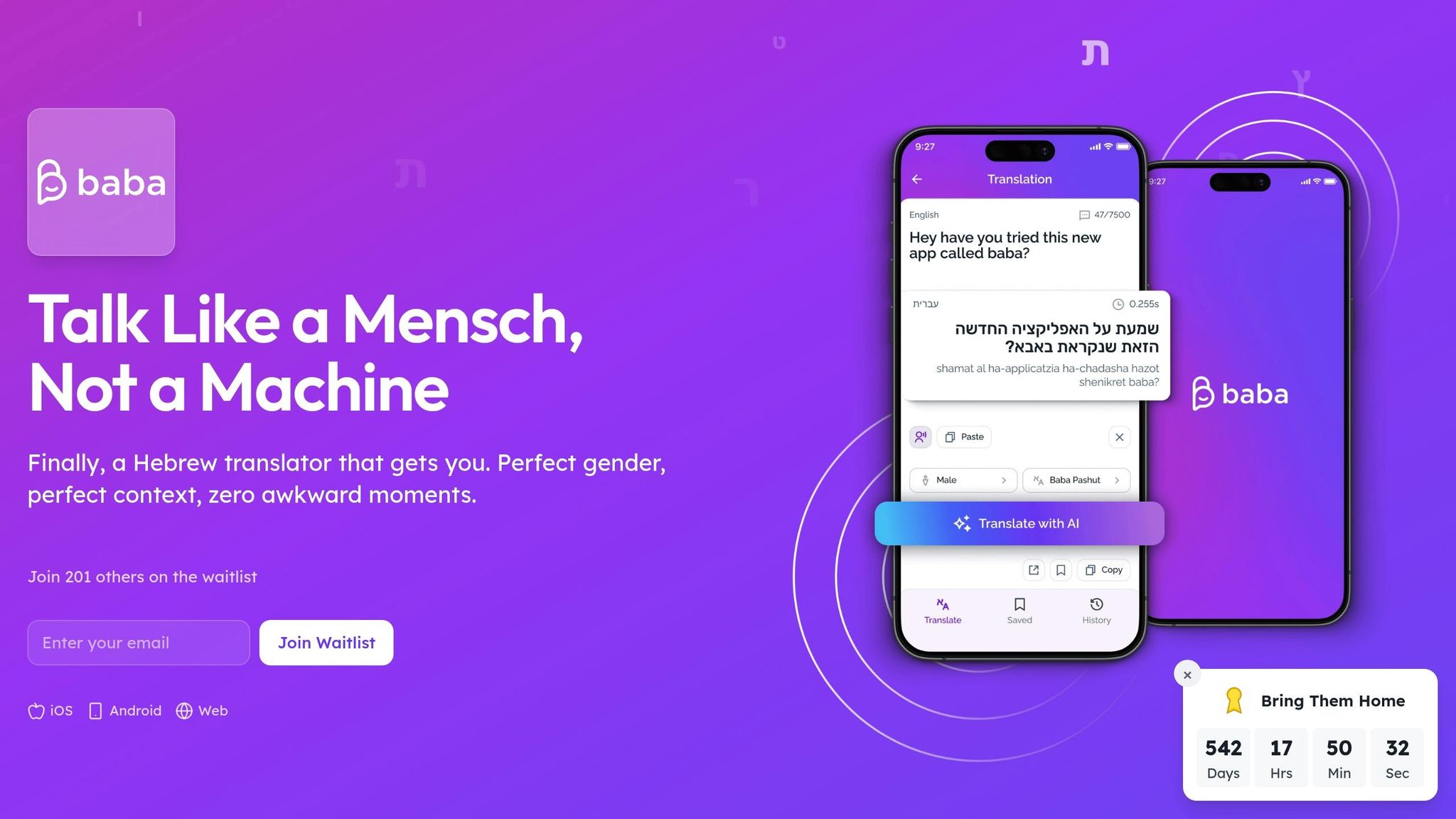
baba combines advanced AI with a deep understanding of Hebrew's gender and plurality rules, providing context-aware translations. Its natural language processing tools support educators and learners in multilingual environments. Whether you're teaching or learning, baba connects traditional methods with modern technology, helping develop language skills and cultural understanding.
Join the waitlist for our mobile app at www.itsbaba.com.
Frequently Asked Questions
How does speech recognition handle Hebrew's gendered grammar when giving feedback?
Hebrew grammar changes depending on the speaker's gender, which most generic tools ignore entirely. A Hebrew-first approach analyzes the full sentence context to flag when a learner uses the wrong masculine or feminine verb form, rather than just checking if a word was pronounced clearly.
Can speech recognition tools tell the difference between Israeli Hebrew accents and other Hebrew pronunciations?
Yes, more advanced tools are trained on multiple Hebrew pronunciation styles, including Modern Israeli Hebrew and older traditional forms, so feedback stays accurate regardless of which variant a student is learning. Using accent adjustment settings and practicing with diverse audio samples helps the system calibrate more quickly.
What Hebrew sounds are hardest for speech recognition to evaluate accurately?
Guttural consonants like ח (chet) and ע (ayin) are consistently difficult because they don't exist in most European languages and are easy to conflate or drop entirely. Quality Hebrew speech tools use audio comparison and visual articulation cues specifically to target these sounds.
How should teachers introduce speech recognition tools without overwhelming students or disrupting existing lesson plans?
Starting with short, focused sessions of around 10 minutes on a single skill—like pronunciation drills or vocabulary responses—lets students build comfort gradually. Blending the technology with group activities and traditional methods keeps the classroom dynamic and prevents over-reliance on any one tool.
What should schools know about student voice data privacy when using AI speech tools in the classroom?
Schools should look for platforms that offer transparent opt-in consent for voice recording, clearly explain how recordings are stored and used, and conduct regular audits to confirm the AI performs equitably across different student accents and backgrounds.